Taking findings to create a better pDP

Sally has a lot of info to show to customers, this project took testing findings to present a better stack to users.

My Role: UX Lead, UI Lead

Background

After a couple of years of our testing program we had really learned some valuable lessons about what was important to our customers when it came to navigation and PDP:

  • Users needed clear visual confirmation of price, product and options

  • Users were getting bogged down in options and wanted clearer access to the best products and deals

  • Sally's limited palette was causing too much visual noise.

  • Key info like deals and price were getting hidden.

We focused on a new concept to address these and broke the concept down into individual assets to A/B test in order to create a PDP that worked for our users.
Putting Important Info Front
and Centre

Putting important info front and center

I started off by mapping the core functionality of my account, referring to Google Analytics in order to assess which areas had the highest traffic for our users.

I also put together a survey for stores based on digital features that had launched via email campaign, such as digital card, but had not been widely messaged to the customer base.

After getting this information, it was time to place these core needs into user stories and use these to map out a better structure for my account. As we were in an ideation phase, this was in the form of blueprints and low resolution wireframes.

As a team we took this across to relevant stakeholders within the business for approval.

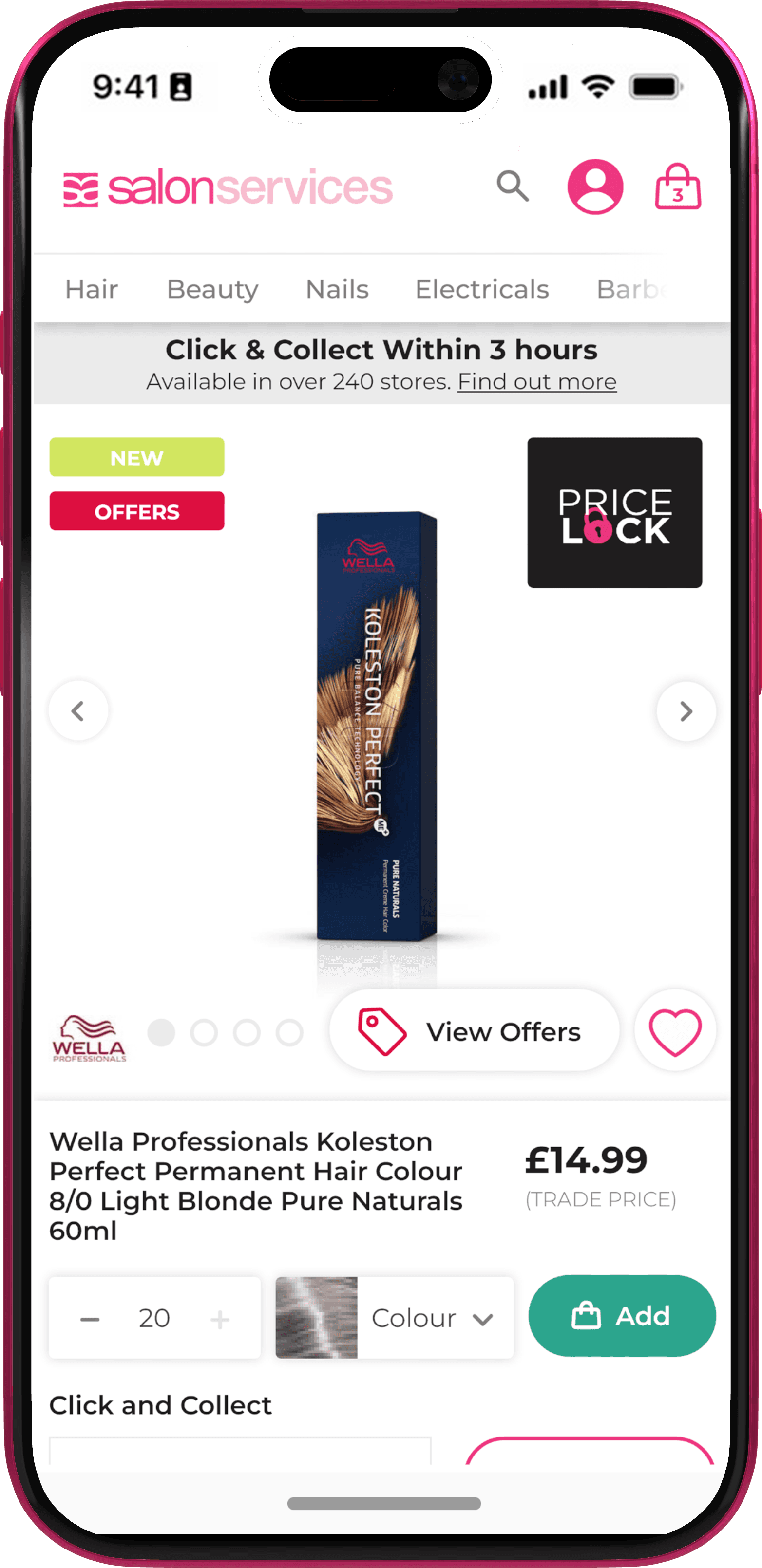
Sally's product pages contained lots of text and interactive elements, from bulk offers, to swatch options. This design looked to simplify less pertinent information so the user could see at a glance at any time the key info related to the product. It was important to get the price in the initial viewport with a clear position on the page. in addition to this we experimented with different colours for the primary CTA to boost conversion as well as different treatments for our service messaging to better serve other elements on the page. This also allowed customers to access our very successful product recommendations sooner as well.

Addressing the Header On Mobile

Due to Hair, Beauty and Nails being by far the most navigated to categories across sites, the sliding header on mobile was very popular with merchandising above a hamburger menu. Initial tests showed boosted traffic to these areas as well over a hamburger menu. However, this had always presented a space issue on mobile and an issue in touch target size. To adhere to best practice accessibility, I designed a new nav behaviour for mobile where I was able to increase the size of our nav slider to hit touch target recommendations whilst also having navigation accessible across the site even on scroll. Early tests showed this to be very successful.

Due to Hair, Beauty and Nails being by far the most navigated to categories across sites, the sliding header on mobile was very popular with merchandising above a hamburger menu. Initial tests showed boosted traffic to these areas as well over a hamburger menu. However, this had always presented a space issue on mobile and an issue in touch target size. To adhere to best practice accessibility, I designed a new nav behaviour for mobile where I was able to increase the size of our nav slider to hit touch target recommendations whilst also having navigation accessible across the site even on scroll. Early tests showed this to be very successful.

Utilising Scroll and Layering

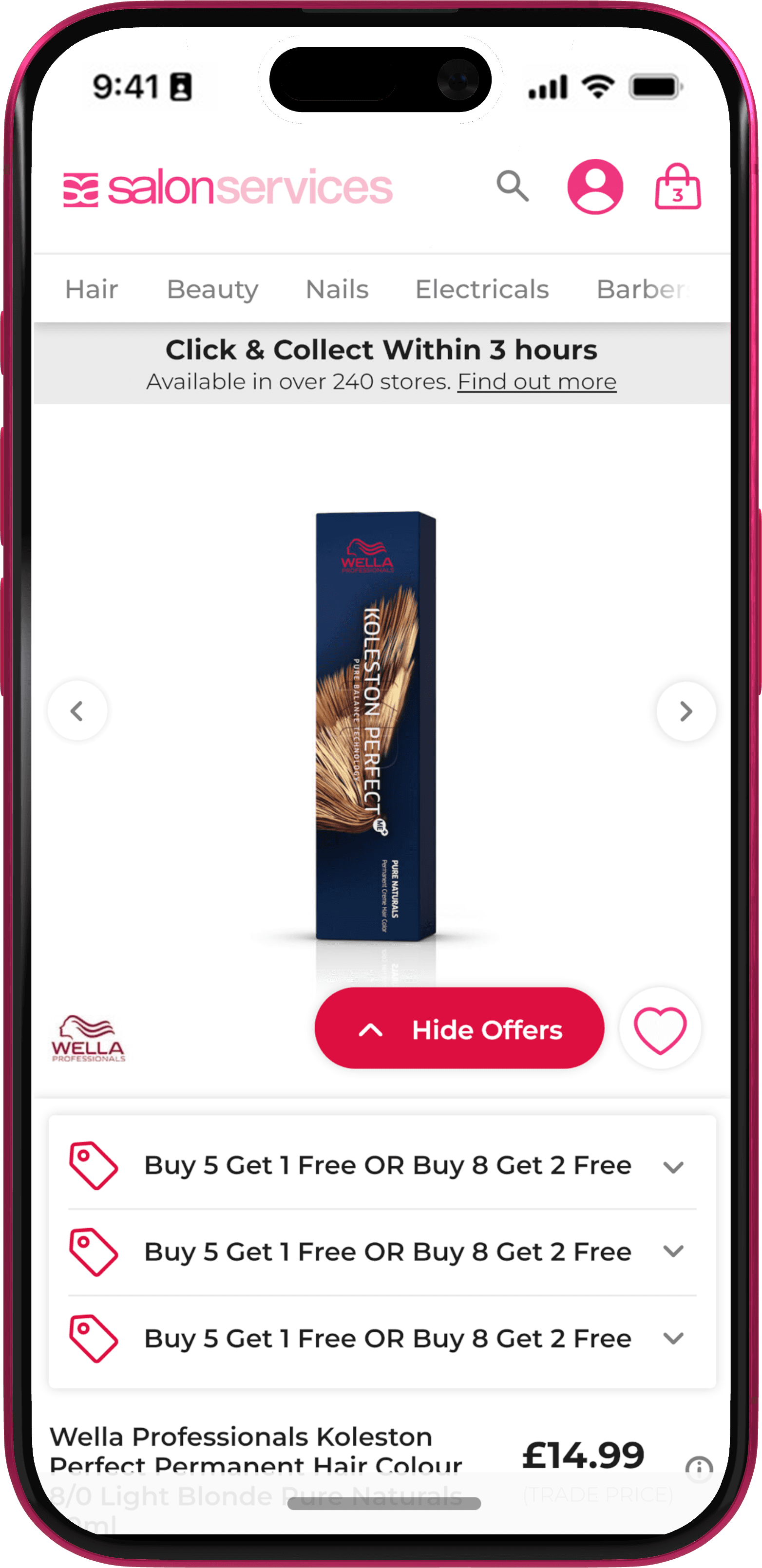
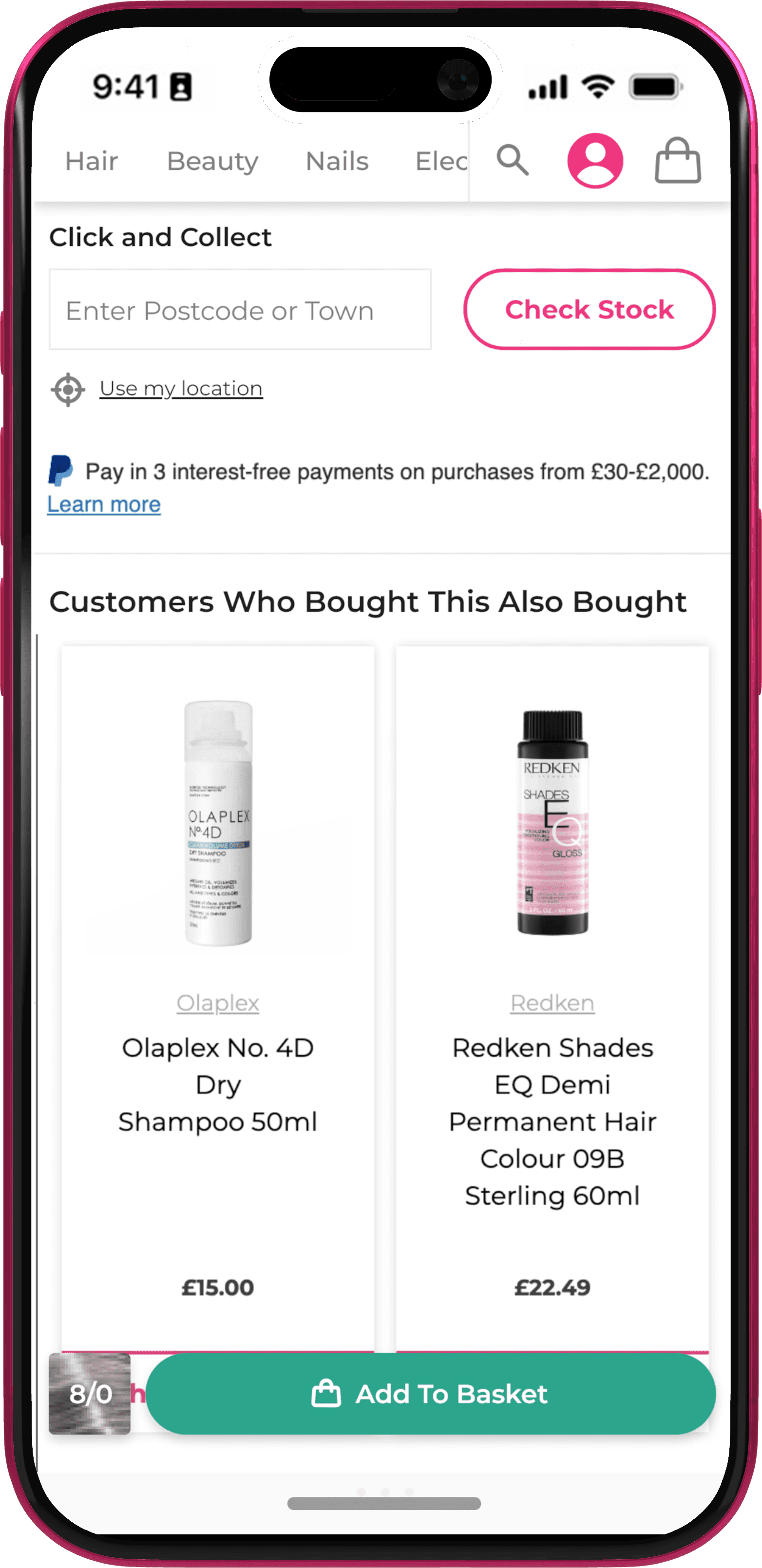
In addition to the new nav behaviour, we also wanted to optimise information for the user on scroll. We did this by layering the page with core product images remaining fixed. This allowed key badging to remain visible along with items further down the page such as click and collect.

In addition to the new nav behaviour, we also wanted to optimise information for the user on scroll. We did this by layering the page with core product images remaining fixed. This allowed key badging to remain visible along with items further down the page such as click and collect.

Better Organising Offers

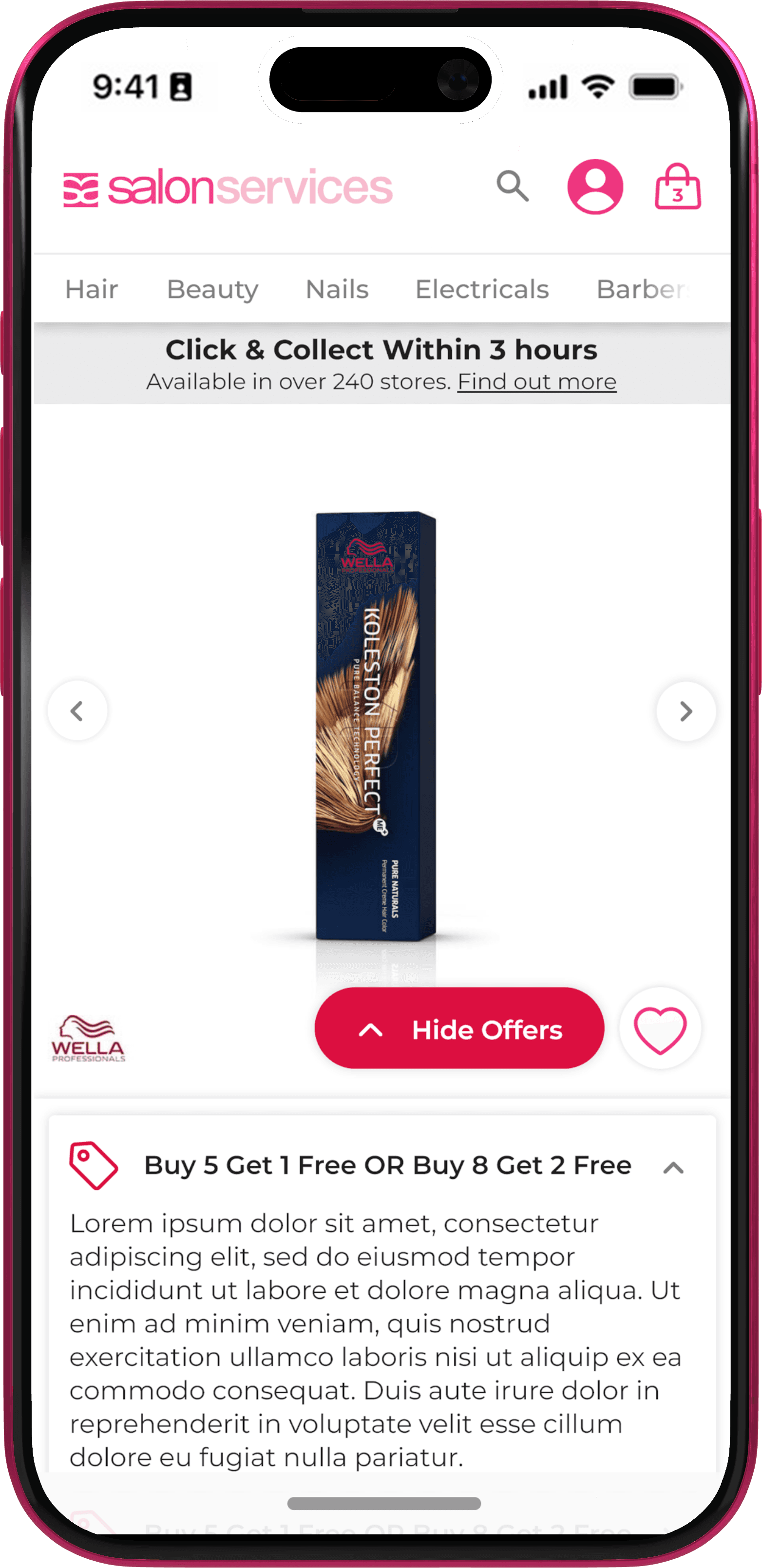
Offers were very difficult to navigate as obviously we didn't want customers to miss them. But with multiple merchandising teams we often found that products had multiple bulk offers assigned to them that weren't applicable to everyone. Our solution here was to have offers that weren't a direct discount on price show in an easily accessible drop down. This defaulted to expanded on page load, but was easily collapsible. Having an accordion menu like this also let us move offer info from a separate lightbox into the accordion itself.
More Options For Product Variants

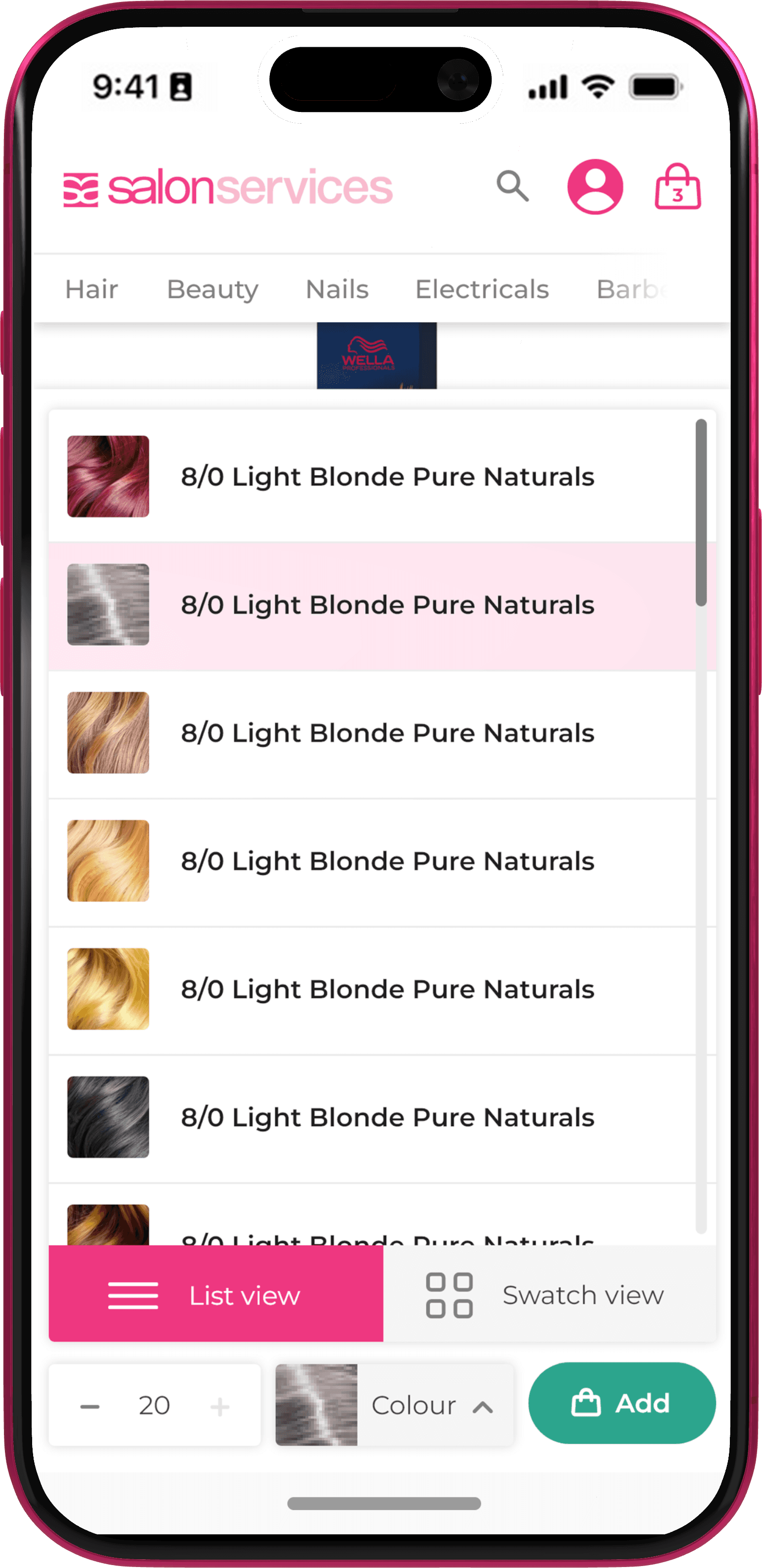
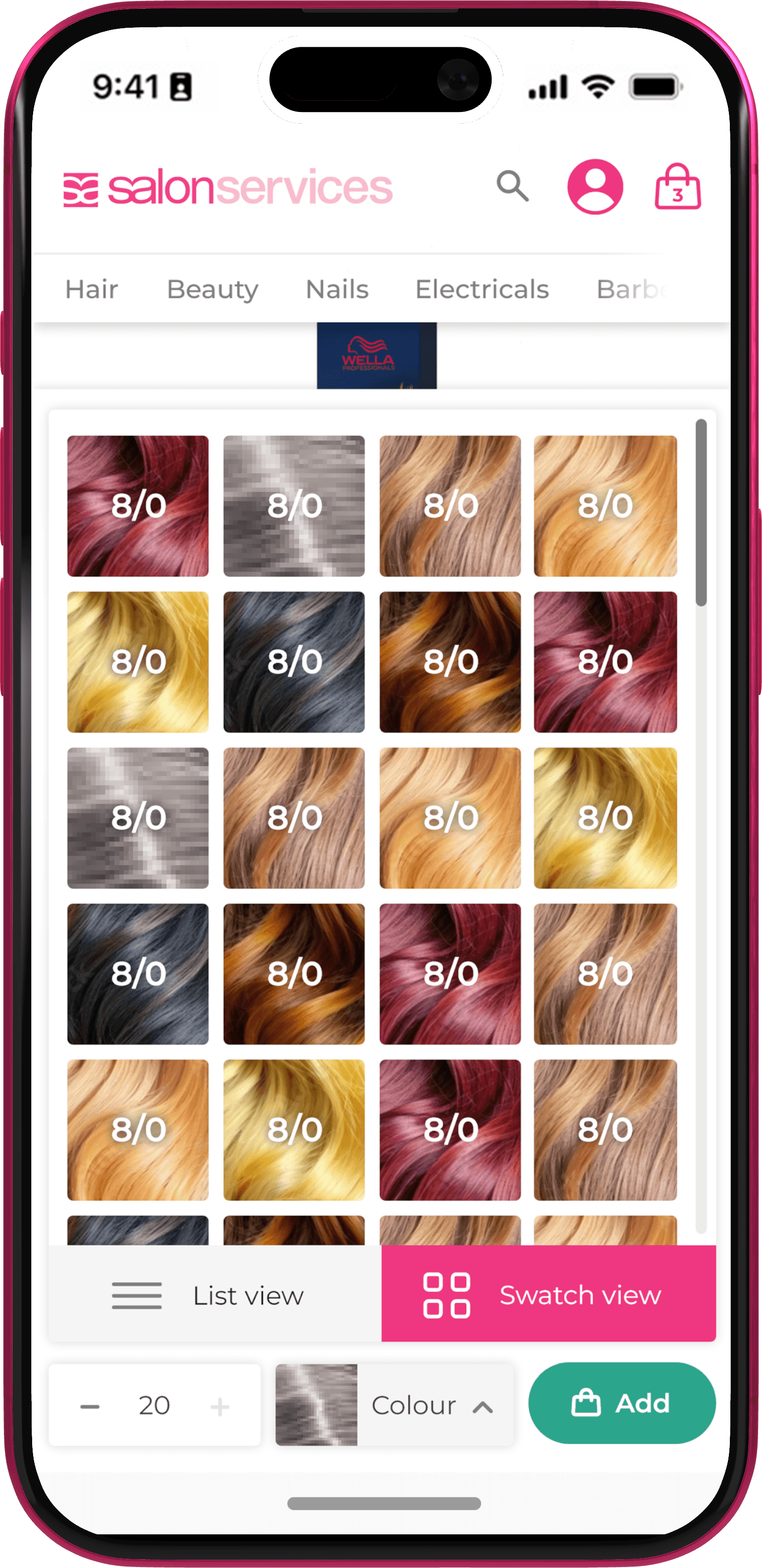
Products such as hair colour have many, many variants to them. This lead to PDPs being swamped in swatches. Our solution was to prominently show the selected swatch or option to the user at all times, even on scroll. Users could tap this icon to see either a list of all available options, or a more visual swatches palette – this was accessible anywhere on the page.
Floating ATB and Options

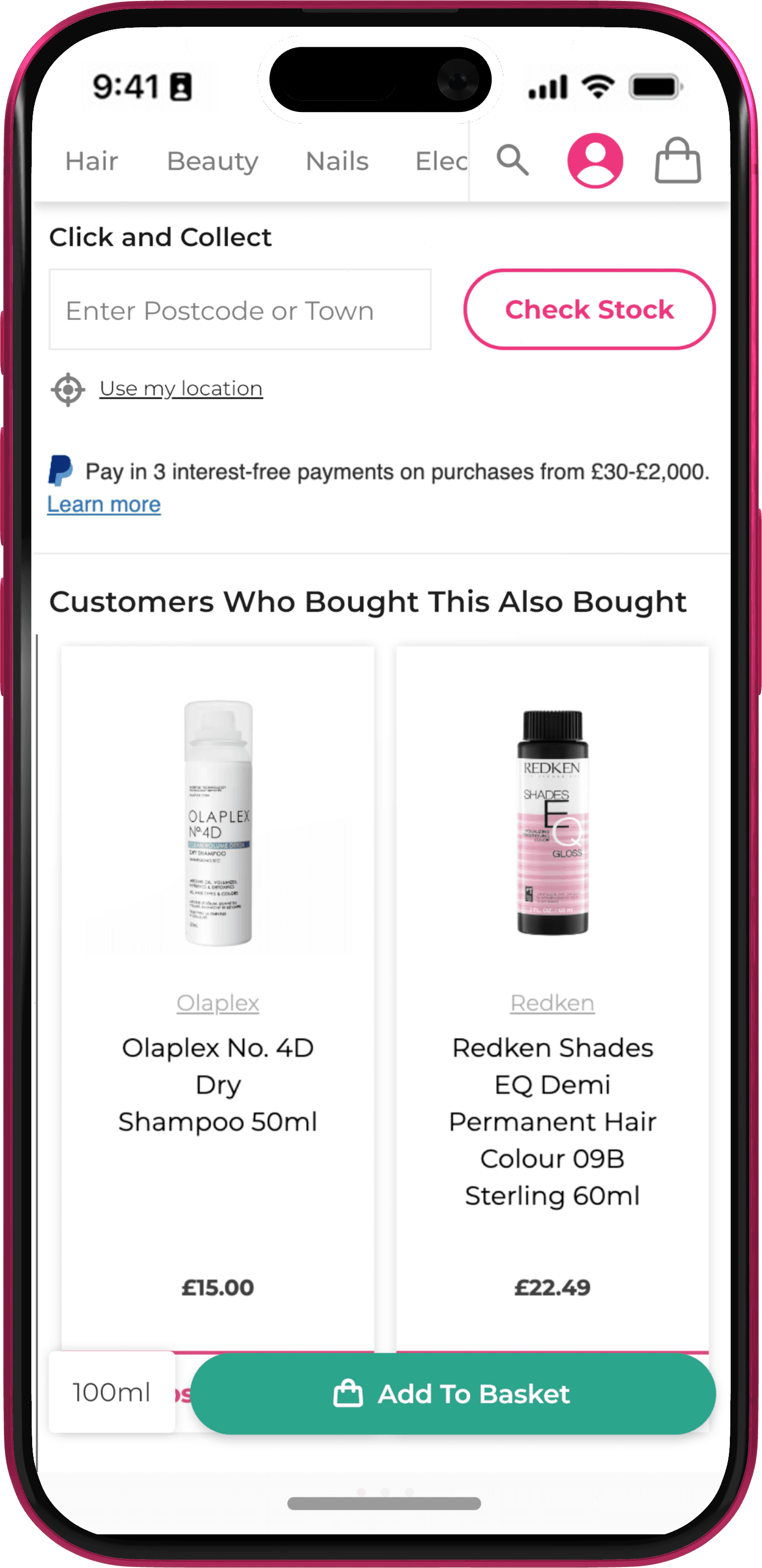
As part of this re-design, floating ATB was also addressed, so customers could still add to basket as soon as they were ready to. However we found that by including access to product options here as well, we were able to boost add to cart rate on mobile.